A cron job runs a command at set times: a nightly cleanup, a queue worker check, a WordPress or Laravel scheduler. Jobs run as the user they belong to, with that user's files and permissions.
Add a cron job
- Open Cron Jobs in the sidebar and click Add Cron Job. Administrators and resellers choose the owner first; the job runs as that user.
- Enter the Command, on one line.
- Set when it runs, with the five fields Minute, Hour, Day, Month and Day of Week, or let the generator fill them in (below).
- Save.
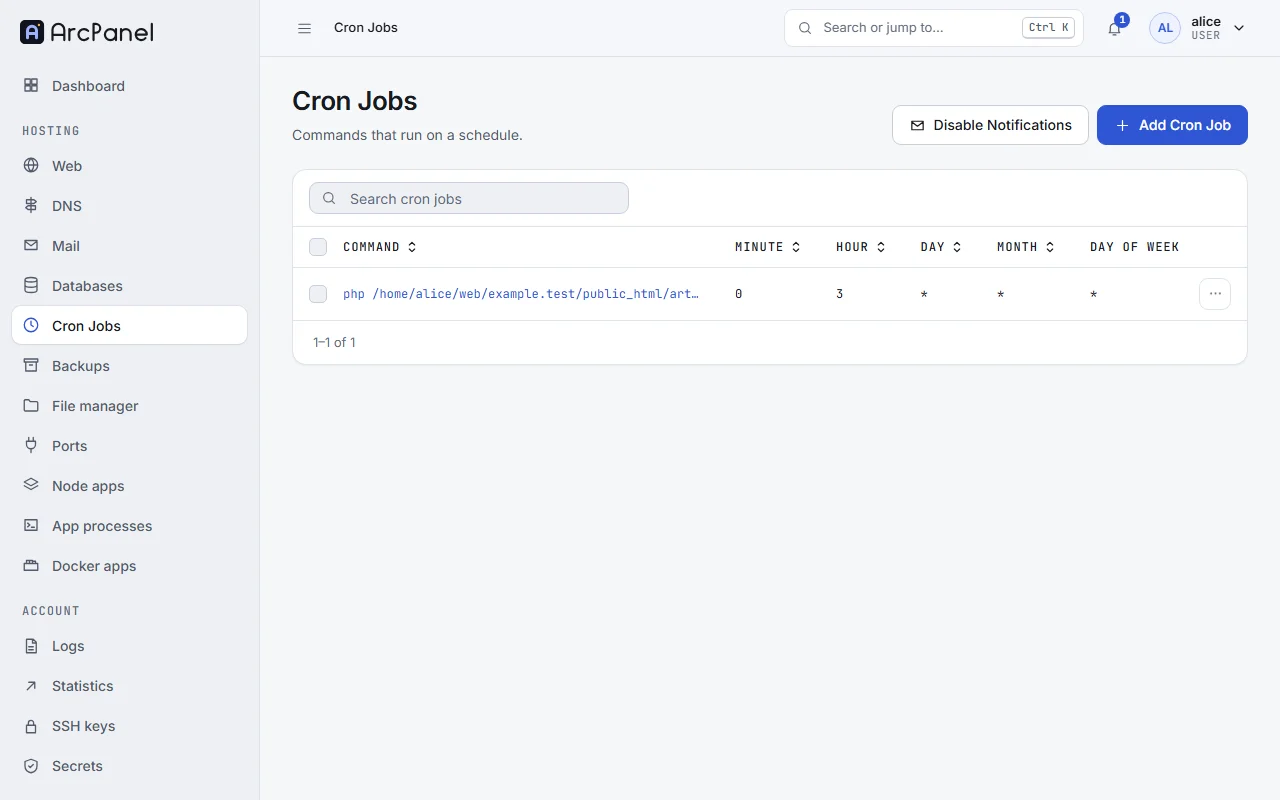
The page shows the System time: schedules follow the server's clock and time zone, not yours.
From the command line, as root:
v-add-cron-job alice 0 3 '*' '*' '*' '/usr/bin/php8.4 /home/alice/web/example.com/public_html/cron.php'
The schedule fields
Each field takes a number, * for "every", a list such as 1,15, a range such as 1-5, or a step such as */10.
| Minute | Hour | Day | Month | Day of Week | Runs |
|---|---|---|---|---|---|
*/5 |
* |
* |
* |
* |
Every 5 minutes |
0 |
* |
* |
* |
* |
At the start of every hour |
30 |
2 |
* |
* |
* |
Every day at 02:30 |
0 |
9 |
* |
* |
1-5 |
Weekdays at 09:00 |
0 |
4 |
1 |
* |
* |
On the 1st of each month |
Day of Week counts from 0 (Sunday) to 6 (Saturday).
The generator
Below the fields, the tabs Minutes, Hourly, Daily, Weekly and Monthly offer common schedules, such as Every 5 minutes or Weekdays (5 days). Pick one under Run Command and click Generate; the Schedule preview shows what the fields mean.
Run PHP from cron
Call PHP by the full path of the version your site uses, so that the job does not change when the server's default PHP changes:
/usr/bin/php8.4 /home/alice/web/example.com/public_html/artisan schedule:run
/usr/bin/php without a version is the server default.
For WordPress, turn off its own timer in wp-config.php (define('DISABLE_WP_CRON', true);) and run it every five minutes:
/usr/bin/php8.4 /home/alice/web/example.com/public_html/wp-cron.php
Get the output by e-mail
Jobs run silently by default. Enable Notifications in the toolbar sends the output of each of your jobs to your account's e-mail address; Disable Notifications stops it. Administrators and resellers pick a single owner first.
A job with no output sends nothing. To keep the mail quiet except for errors, discard normal output and keep errors:
/usr/bin/php8.4 /home/alice/script.php > /dev/null
Suspend and delete
Suspend keeps a job but stops it from running; Unsuspend turns it back on. Delete removes it. The list has the same actions for several jobs at once.
The number of jobs a user can have is set by the Cron Jobs field of the package.