Yes. HestiaCP is still maintained. As of 26 October 2026, its latest stable release is 1.10.5, published on 14 September. Recent releases include security fixes, backup repairs and support for newer Debian and Ubuntu versions.
If you found an older discussion asking whether development had stopped, it is reasonable to want a clearer answer before putting customer sites on it. Here is what the current evidence shows, what to check on your own server, and when moving to ArcPanel might make sense.
What do the recent HestiaCP releases show?
The release history gives a more useful answer than a project's star count or an old forum thread. Two releases show the range of work:
| Release | Date | Examples of shipped work |
|---|---|---|
| 1.10.0 | 13 August 2026 | Debian 13 and Ubuntu 26.04 support, PHP 8.5 support, Dovecot 2.4 configuration work, and security hardening. |
| 1.10.5 | 14 September 2026 | Role and session checks, stronger enforcement of read-only mode, configuration parsing fixes, and repairs to restic restores and database limits. |
Version 1.10.5 also updates bundled components, including Roundcube and the file manager. That is evidence of maintenance across the panel and its dependencies. It does not tell you whether every issue you care about is fixed; read the release notes for your specific workload.
Why did users worry that development had stopped?
In an October 2025 forum discussion, a user asked about unreviewed contributions and the pace of development. A team member replied that other commitments and personal matters were limiting the team's time. New features were delayed, while the team continued to monitor the project and address security issues.
That exchange explains the concern. It was a discussion about capacity and communication at a particular time. The releases above provide newer evidence for a decision in October 2026.
A slow response to a feature request can still matter to your business. If you need a feature to sell a hosting plan next month, an open request gives you no delivery date. Choose from what a project ships today and treat its roadmap as a plan.
What should you check on your own server?
An actively maintained project can still be running as an outdated installation on your VPS. Before choosing another panel, check these four things:
- Your installed version. Compare the version shown in your panel with the official release page. Read the changes between them, especially security fixes and changes that affect mail, backups or authentication.
- Your operating system. HestiaCP's installation guide currently lists Debian 12 and 13, plus Ubuntu 22.04, 24.04 and 26.04 LTS. It supports both amd64 and arm64. An old installation needs its own OS upgrade plan.
- Your update and restore process. Keep a backup outside the server and test a restore before a major change. Check custom templates and integrations on a test server, then verify sites, mail and scheduled jobs after the update.
- Your support route. HestiaCP's security policy lists the latest version as supported and provides a private vulnerability reporting route. Use the community forum for ordinary support; follow the security policy for a suspected vulnerability.
The supported-version policy matters if you keep an older panel release for compatibility. Check whether that version still receives the fixes you need. A working website alone does not establish that the panel or the OS is up to date.
When is staying with HestiaCP a good choice?
HestiaCP already covers the usual hosting stack. Its features page lists separate users with resource limits, web domains, mail, DNS, databases, certificates and backups. It has a command line, an API, custom web templates and a community support forum.
If you mainly host PHP sites with mail and DNS, your server runs on a supported OS, and your existing workflows work well, staying can be the sensible decision. Moving consumes time and introduces its own risks. You can keep a maintained HestiaCP installation without needing a new panel to justify it.
HestiaCP is also an option for an ARM server: its installation guide explicitly supports arm64. ArcPanel currently installs on amd64 only, even though it publishes arm64 packages.
Where does ArcPanel fit?
ArcPanel started as a hard fork of HestiaCP 1.10.5. It keeps the v-* command line, plain-text account data and much of the service stack built by HestiaCP and VestaCP contributors. Its relationship with HestiaCP is documented openly, including the security fixes ported by hand where they apply.
ArcPanel is worth evaluating when your next hosting workload needs one of these:
- Resellers who manage their own customers. An administrator allocates a reseller's limits; the reseller creates customer accounts and hosting plans within them. The reseller guide explains the ownership and quota model.
- Node.js and Docker apps beside PHP sites. Node.js apps run under pm2, and a curated Docker catalog gives hosting users a way to run apps under their own account. A port registry records who owns each allocated port.
- A rebuilt panel and REST API v2. The web interface runs validated commands through a non-root panel account. The API uses scoped access keys and supports previews of supported changes before execution.
Reseller accounts have been a long-running HestiaCP request. If your business depends on a reseller managing its own customers, test that workflow in a panel that already supplies it. That is a concrete reason to evaluate ArcPanel.
Both projects provide free, open-source code. ArcPanel is GPL-3.0-or-later, with the same release for every user. Paid support buys help from its developers; it does not unlock a different edition.
How should you judge ArcPanel's maintenance?
Apply the same checks to us. ArcPanel 2.0.0 was released on 12 October 2026, so the project has a much shorter release history than HestiaCP. Its current stable version is 2.2.4. A young project's recent activity cannot prove how it will perform over the next several years.
You can inspect our dated changelog, public source and roadmap. Updates come from a signed APT repository. Since 2.2.2, automatic panel updates stay within the installed release line: a server on 2.2 receives patch releases in 2.2.x, and a move to another line is manual.
For production hosting, also decide who is responsible when something fails. Review our support plans and migration services if you need help from the developers. Evaluate the service terms alongside the software.
What does moving from HestiaCP involve?
ArcPanel installs on a fresh Debian or Ubuntu server. There is no in-place conversion of a HestiaCP server: paths, service names, packages and system users change. Plan for two servers while you test the move.

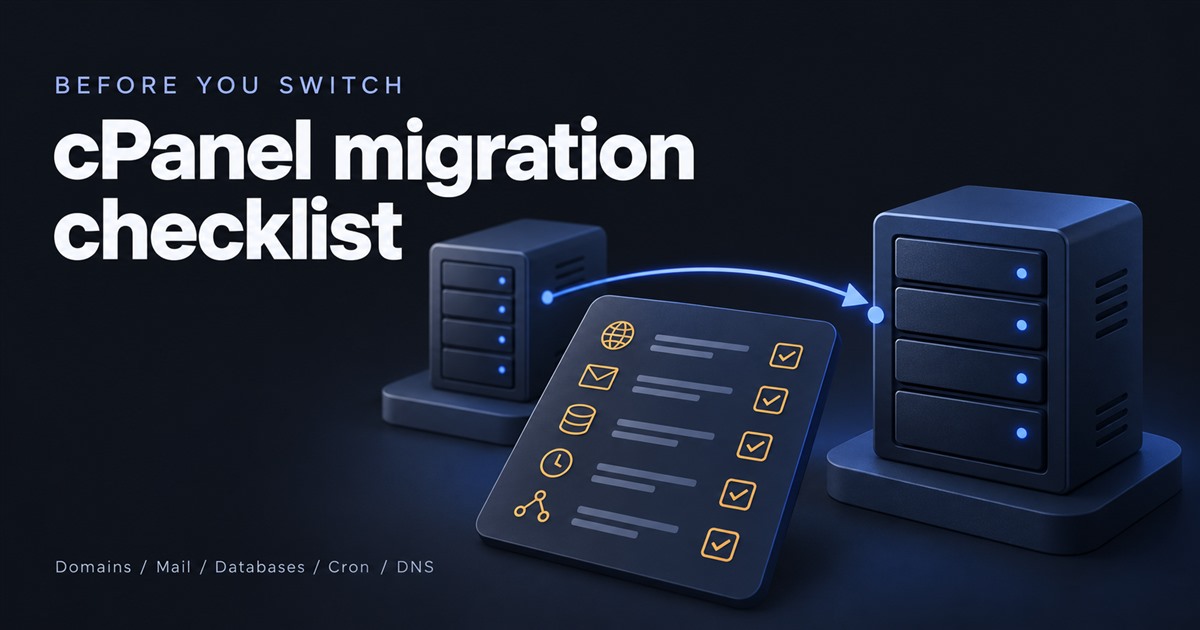
ArcPanel restores HestiaCP user backups. The migration guide starts with a backup on the old server:
v-backup-user alice
ls /backup/alice.*.tar
Copy that archive to /backup on the new server. Then restore it there, using the actual archive filename. This example uses the filename from the guide:
v-restore-user alice alice.2026-10-23_05-10-01.tarThe restore creates the user, so do not create it first. User archives bring over domains and files, certificates, DNS zones, mail, databases and cron jobs. Server settings, packages, custom templates, firewall rules, API keys and DNS cluster hosts need separate attention.
Billing modules written for HestiaCP, including WHMCS and Blesta modules, do not work with ArcPanel. Include billing, provisioning and custom scripts in your trial before committing to a migration.
Choose from the work you need to do
Keep HestiaCP if its current release meets your needs and you can maintain the server and its backups. Evaluate ArcPanel if you need reseller ownership, managed Node.js or Docker workloads, or its newer interface and API. Allow time to test a younger project and a move to a fresh server.
Read the HestiaCP migration guide to see what transfers and what needs rebuilding. It gives you a way to scope a trial before moving customer accounts.